 MR Records
MR Requests
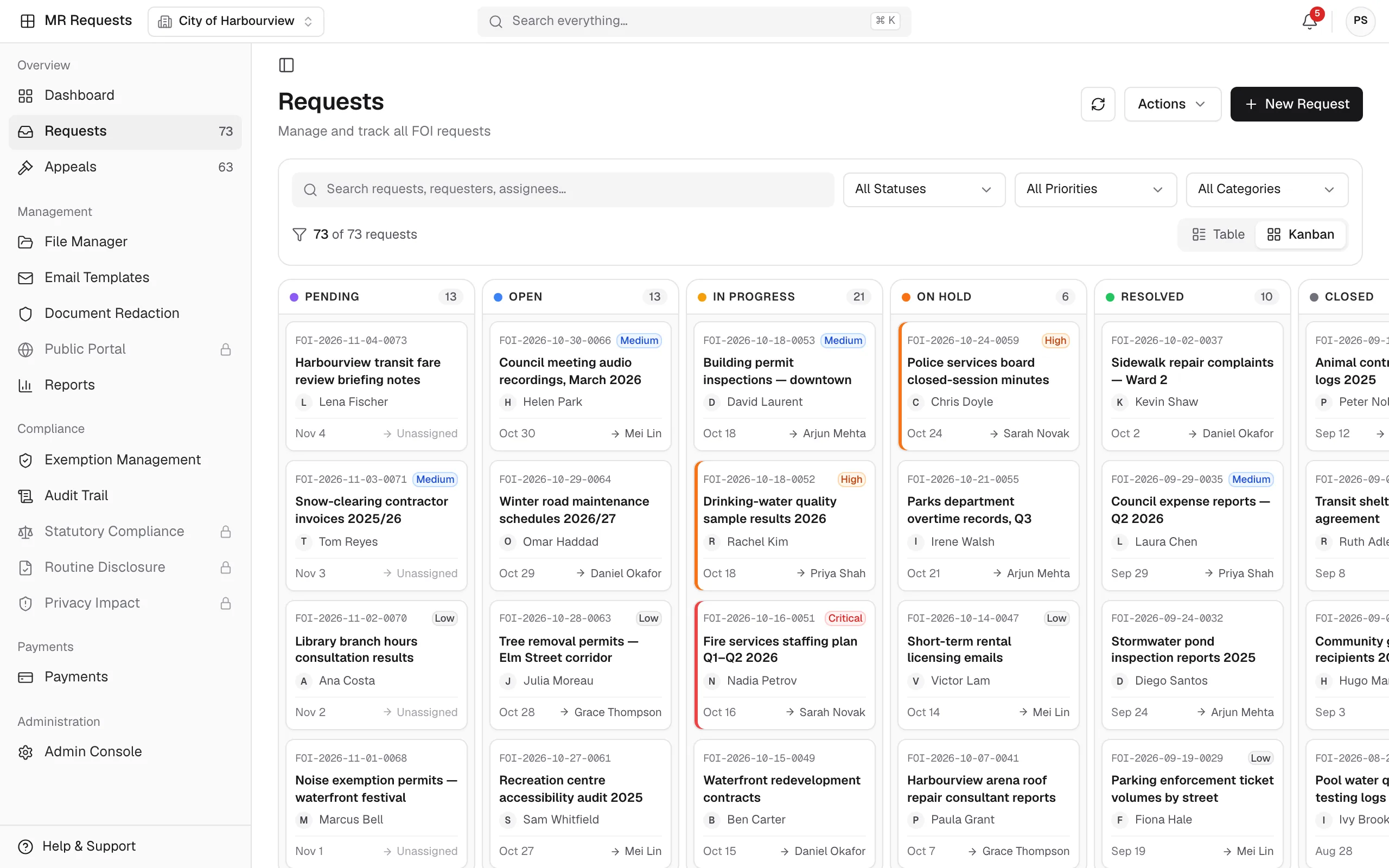
A streamlined system for managing public and internal information requests.
Explore MR Requests

MR Records
Manage electronic documents and physical records in one platform, with record series, retention schedules, AI search and an audit trail for every record.
Product screens show sample data.
Also published on maplerecord.com/platform/mr-records (opens maplerecord.com in a new tab)
Why MR Records?
Records scattered across multiple platforms create inefficiencies and duplicate effort.
Meeting HIPAA and other regulatory requirements is complex and costly.
Time-consuming manual processes delay service delivery, including patient care.
How it operates
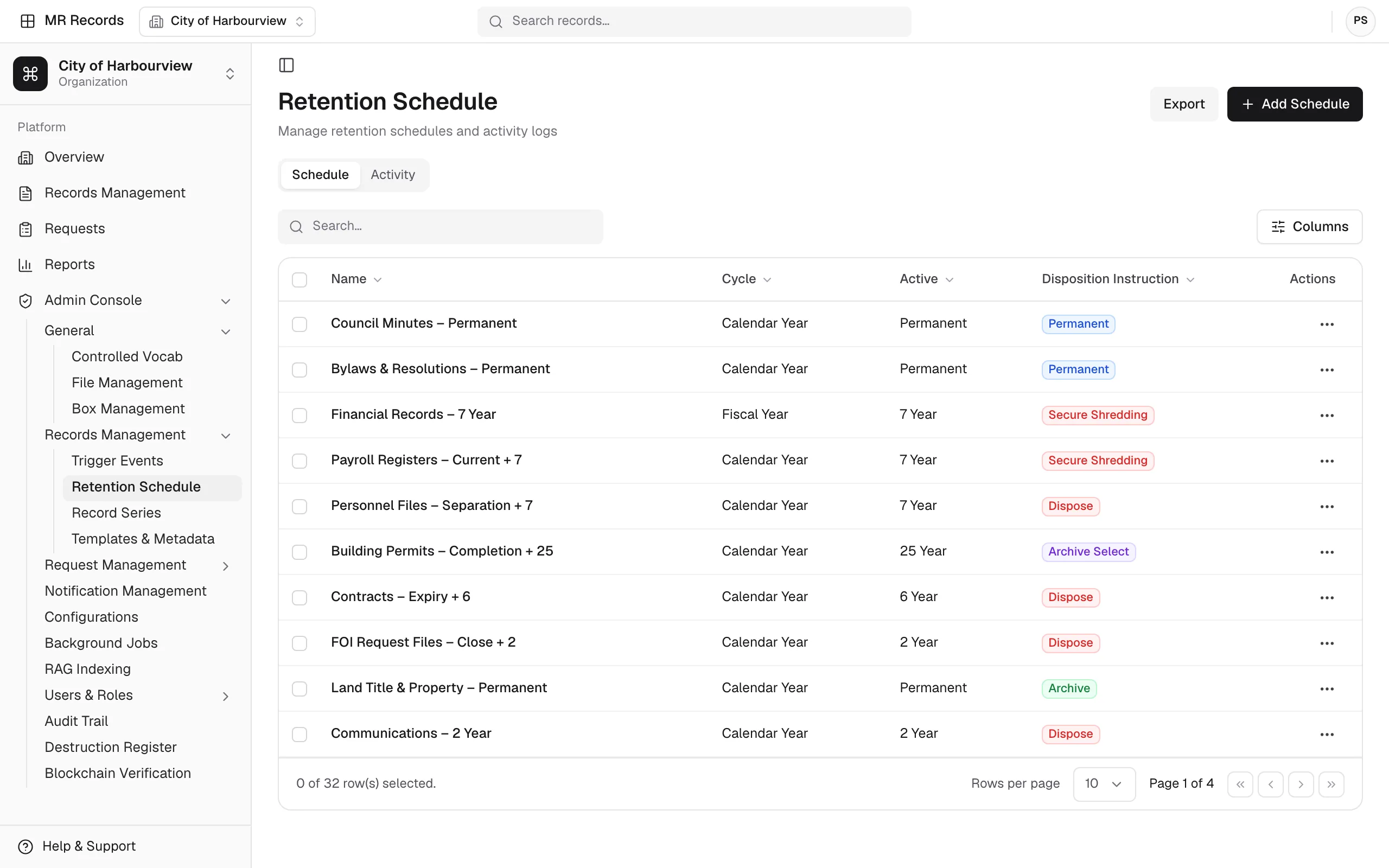
File records into record series with templates and metadata fields, so each record carries its classification and retention schedule from intake.
Apply retention schedules and access controls to every record, and log every action in the audit trail.
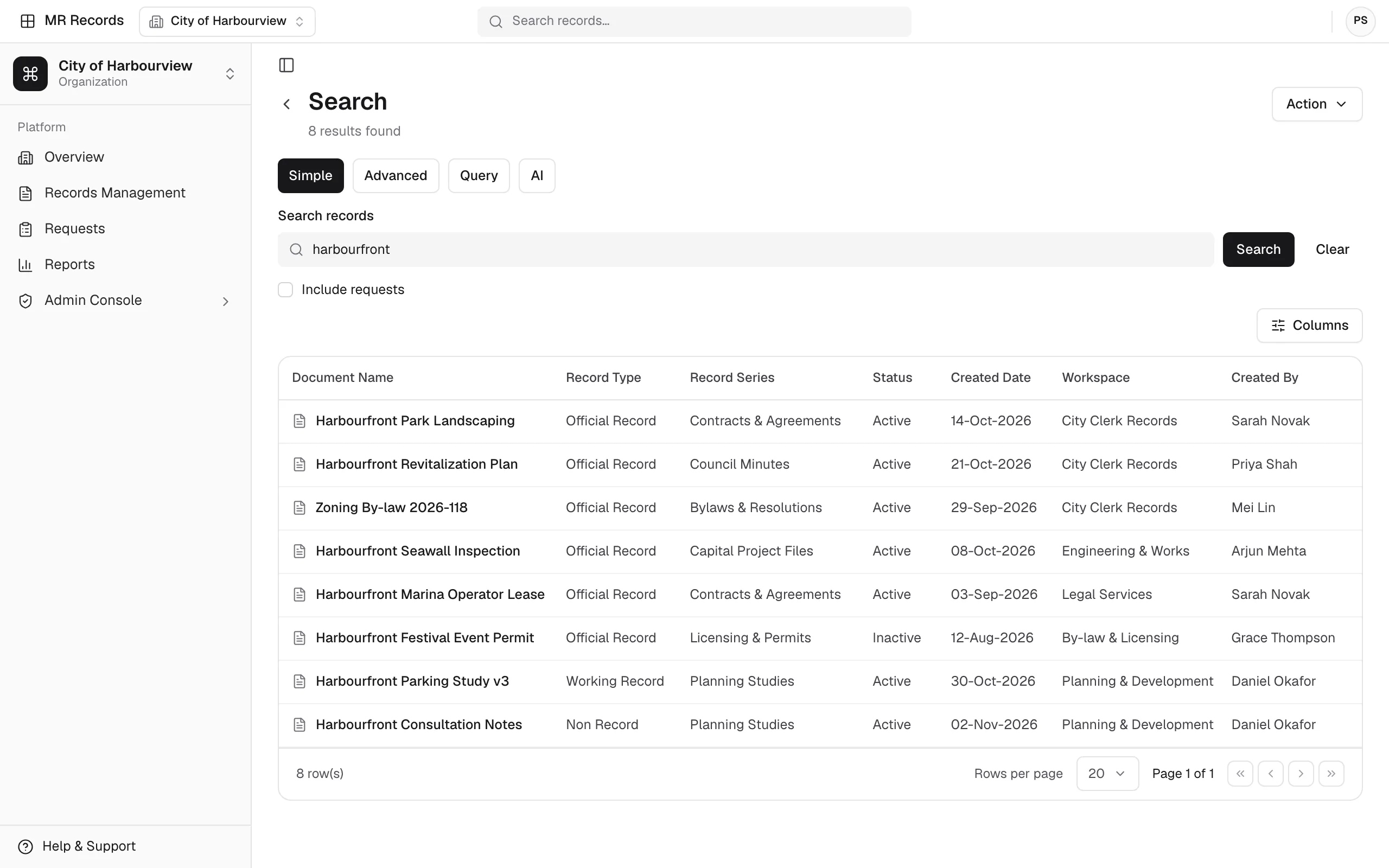
Search in Simple, Advanced, Query or AI mode, and handle transfer, retrieval and lending requests for records.
Send approvals, such as destruction authorizations and archive retrievals, through MR Workflows instead of email and paper.
Measurable impact
10×
Faster record retrieval
Up to 10× faster retrieval with smart search.
60–75%
Fewer manual tasks
Reduction in manual, document-driven tasks.
50%
Less audit-related effort
Retention schedules and audit trails cut the work audits require.
30–50%
Faster approval cycles
Improvement in approval cycle times.
Audit-ready history — A fully traceable history for every record.
Figures as published on maplerecord.com, MapleRecord's product site.
Product tour
A closer look at the screens records teams work in, from the file browser to the audit trail.
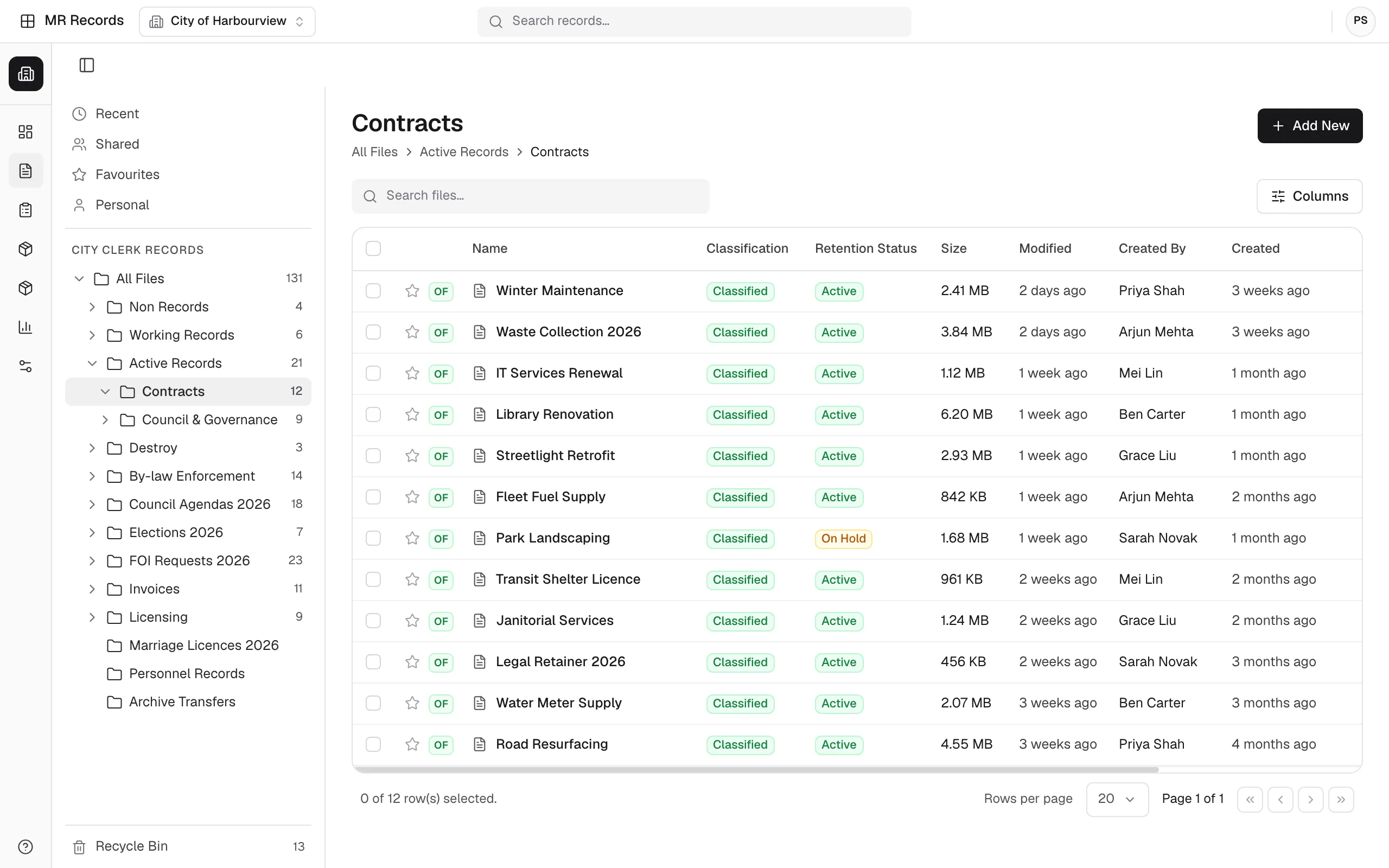
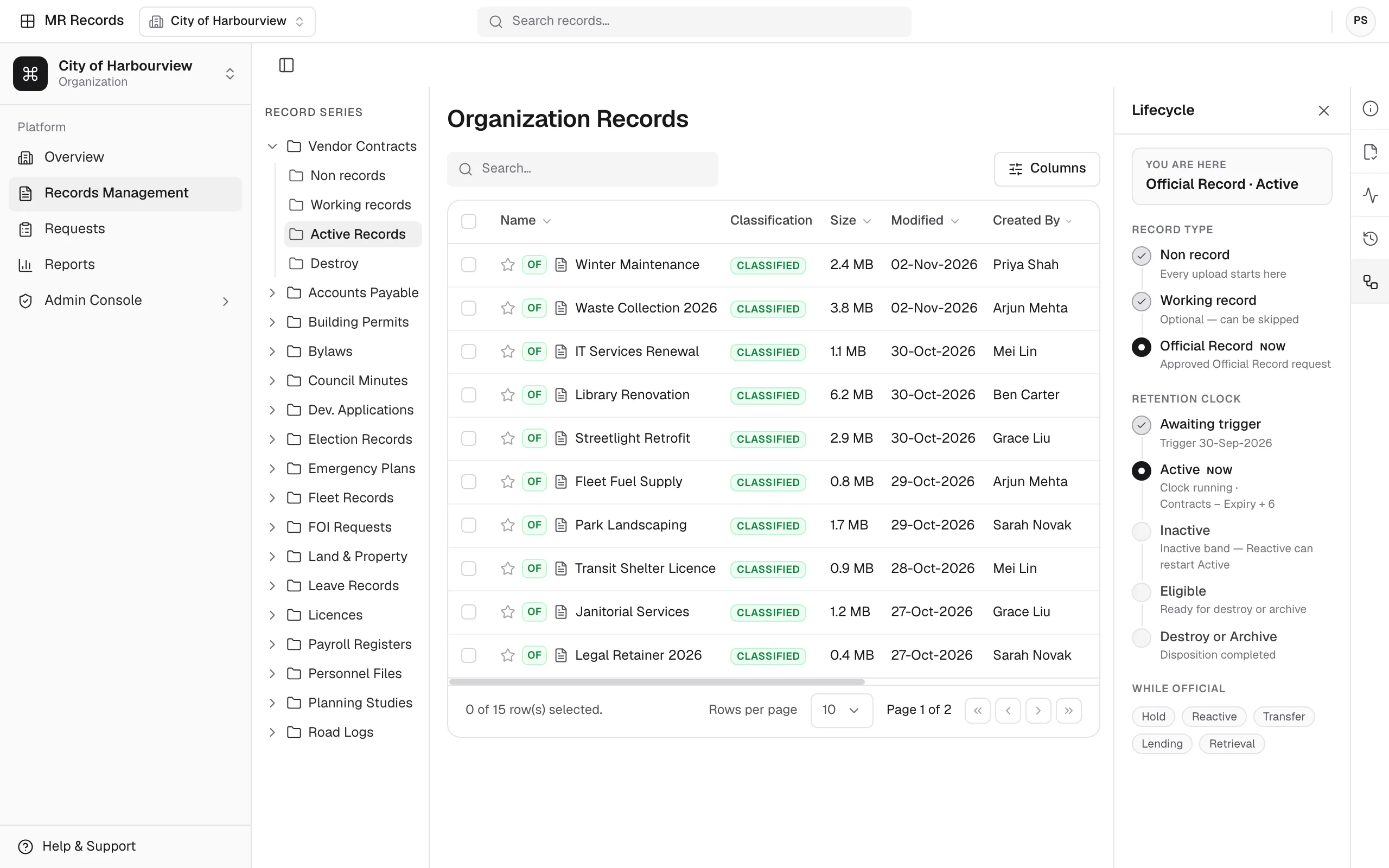
The file browser pairs a folder tree with the contents of the selected folder. Each file shows its classification and retention status, with its size, who created it and when it last changed.
Search runs across workspaces in Simple, Advanced, Query and AI modes, and lists the matching records in a results table.
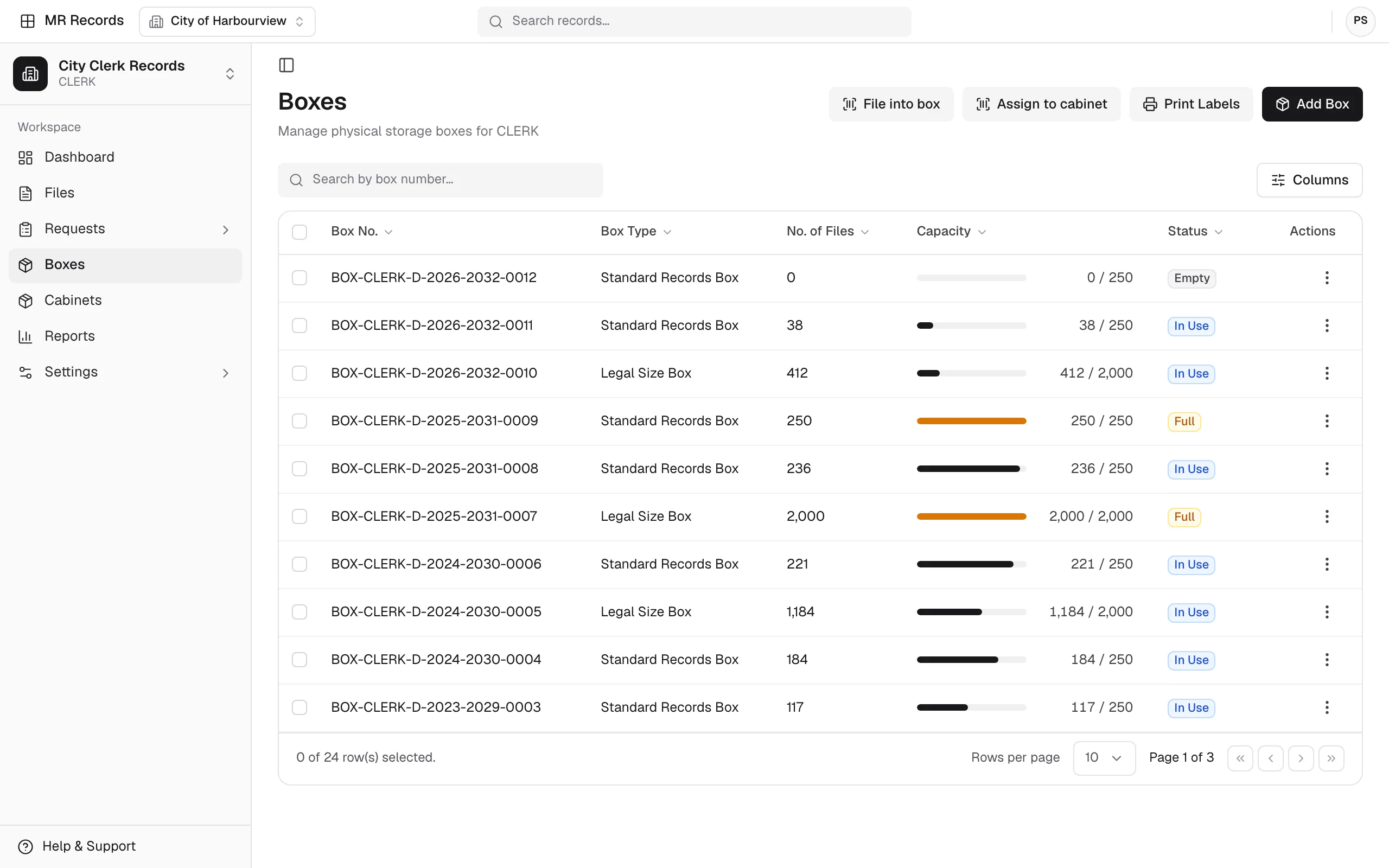
Physical records are kept in numbered boxes. The list shows each box’s type, how many files it holds, a capacity bar and its status.
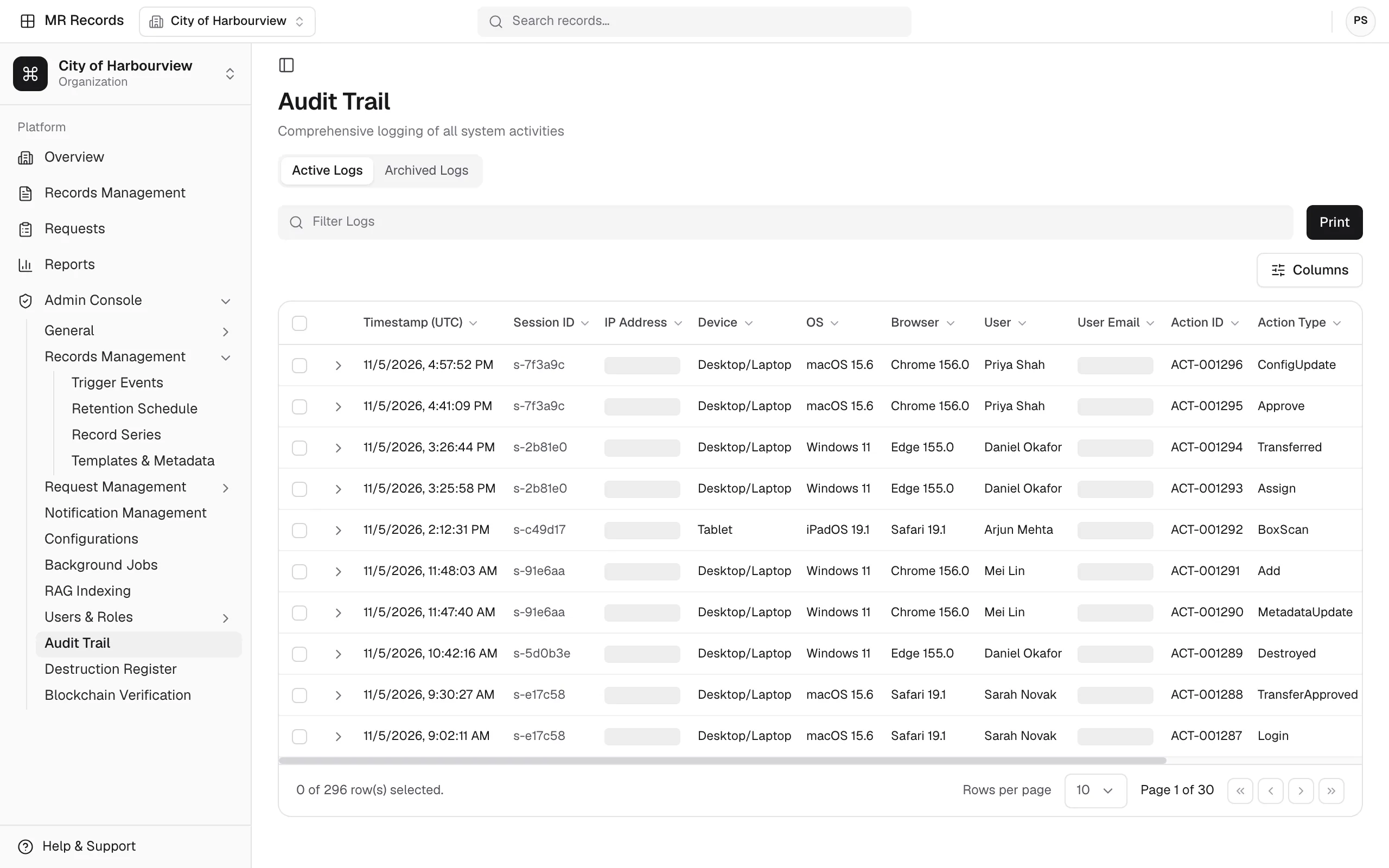
Each action is logged with a timestamp, the user, the action ID and type, and the device, operating system and browser it came from.
Capabilities
Use cases
MR Records supports a wide range of operational teams.
Platform
A streamlined system for managing public and internal information requests.
Explore MR Requests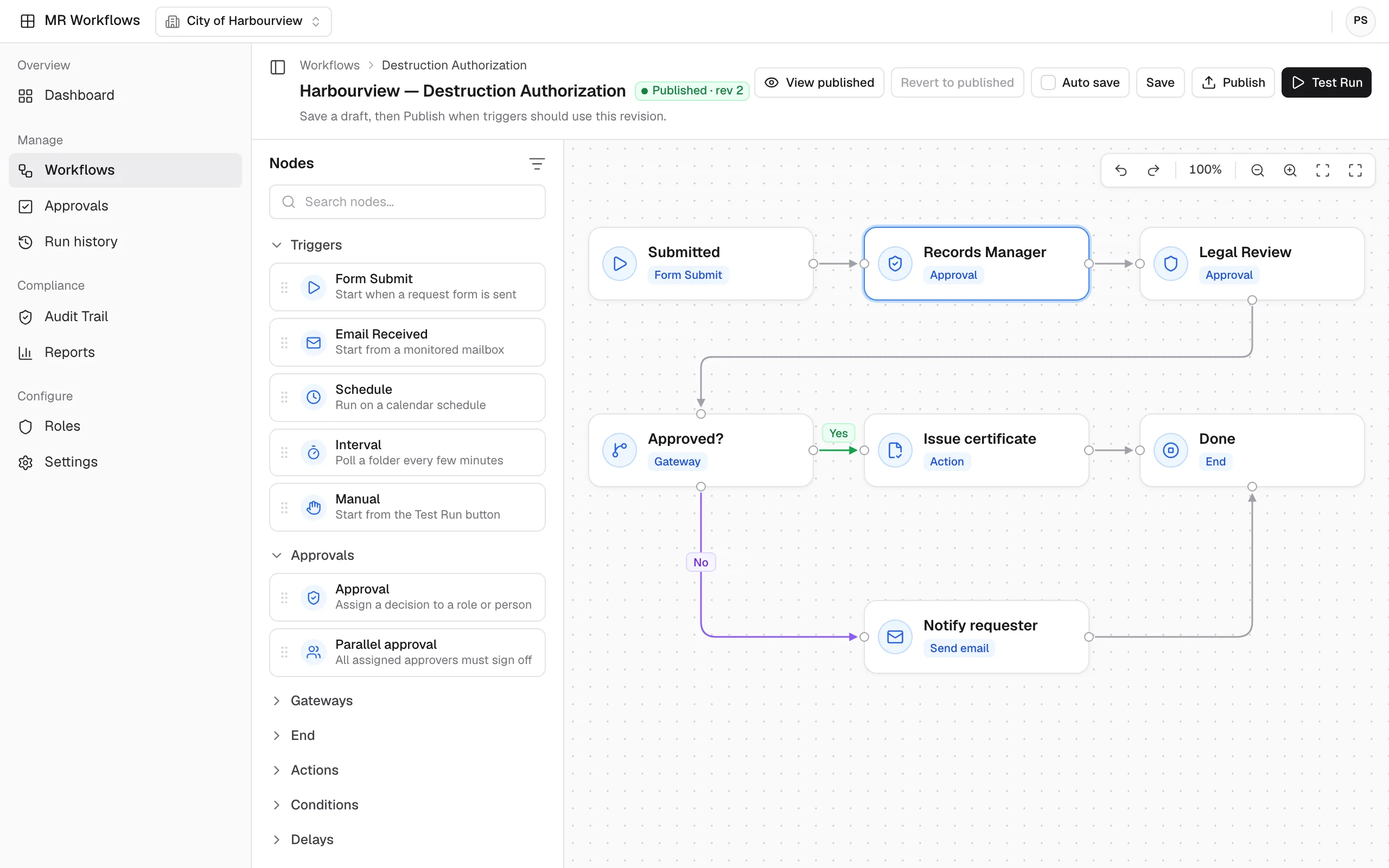
No-code automation that connects your MapleRecord modules, teams, and data.
Explore MR Workflows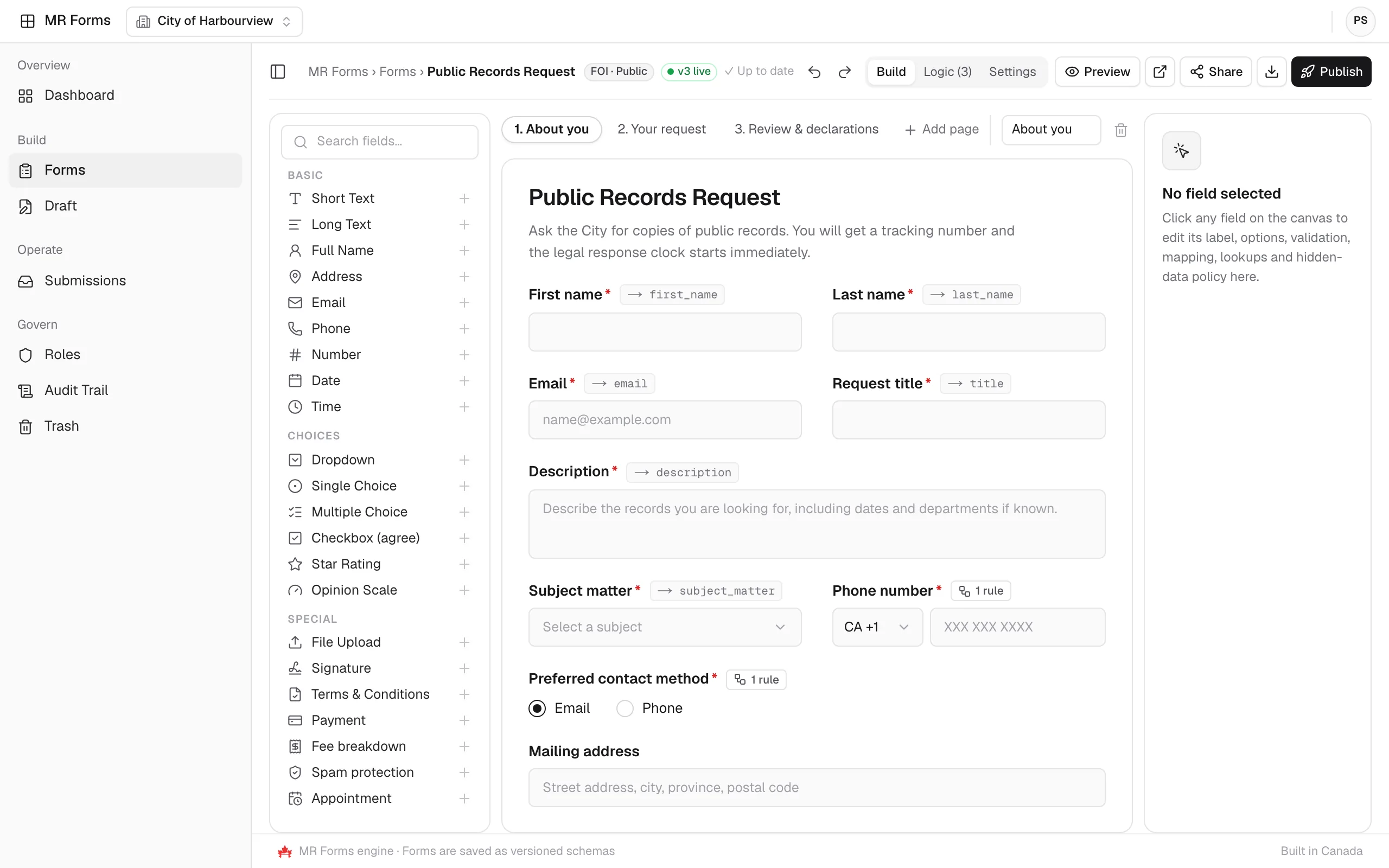
Drag-and-drop or AI-generated forms that send submissions straight into MapleRecord.
Explore MR Forms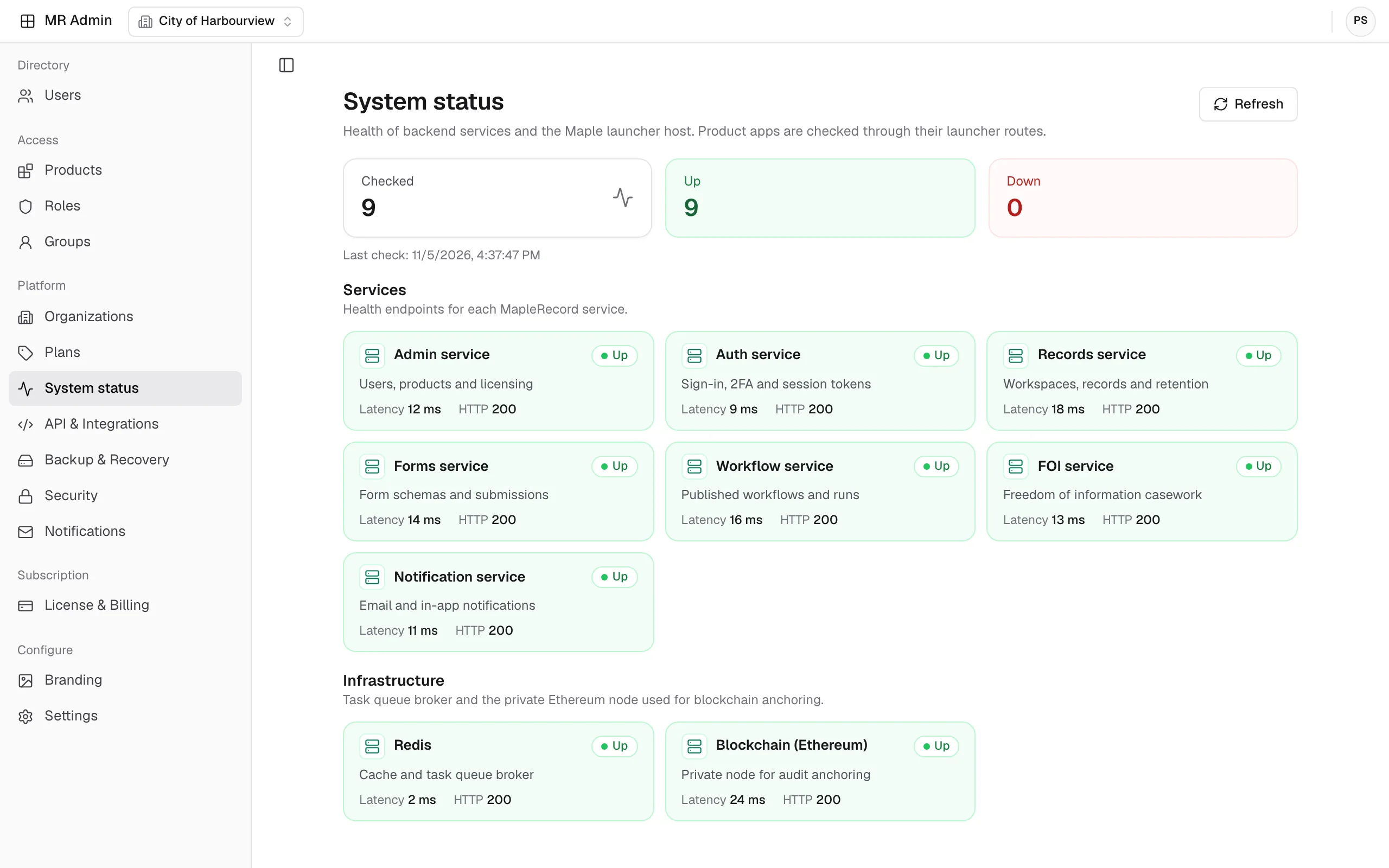
One console for users, licenses, security, integrations and backups across the suite.
Explore MR Admin
See how one hybrid platform brings your electronic and physical records together, with retention schedules, audit trails and lifecycle tracking through to disposition.
Talk to the MapleRecord team
info@maplerecord.com+1 (940) 945-6180MapleRecord is designed and built by Maverick InnoGarage.
Implement MapleRecord with Maverick InnoGarage