Platform
Module 01
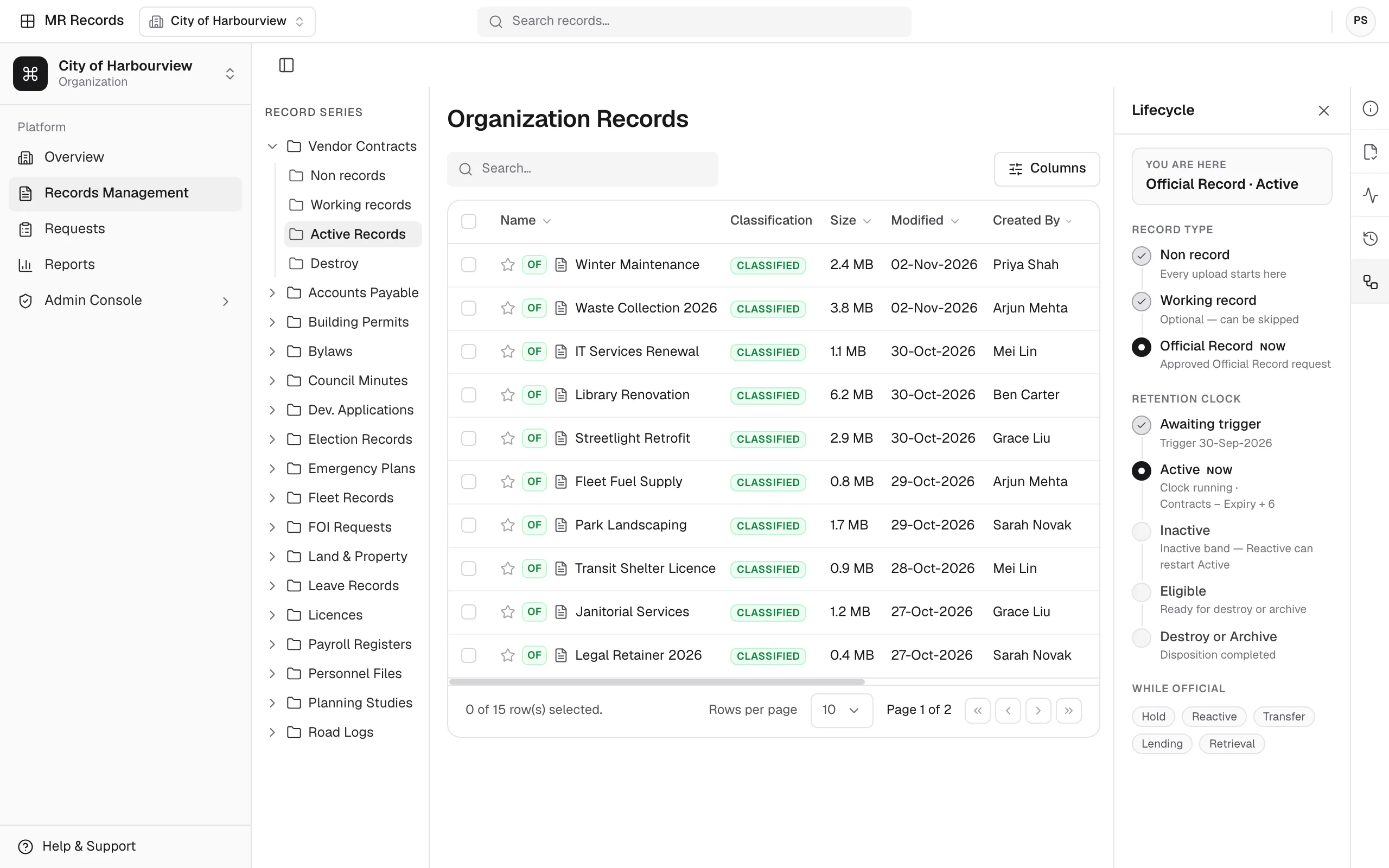
MR Records
Your central hub for secure, structured, and searchable recordkeeping.
- Retention schedules
- Full audit trails
- Role-based access


Platform
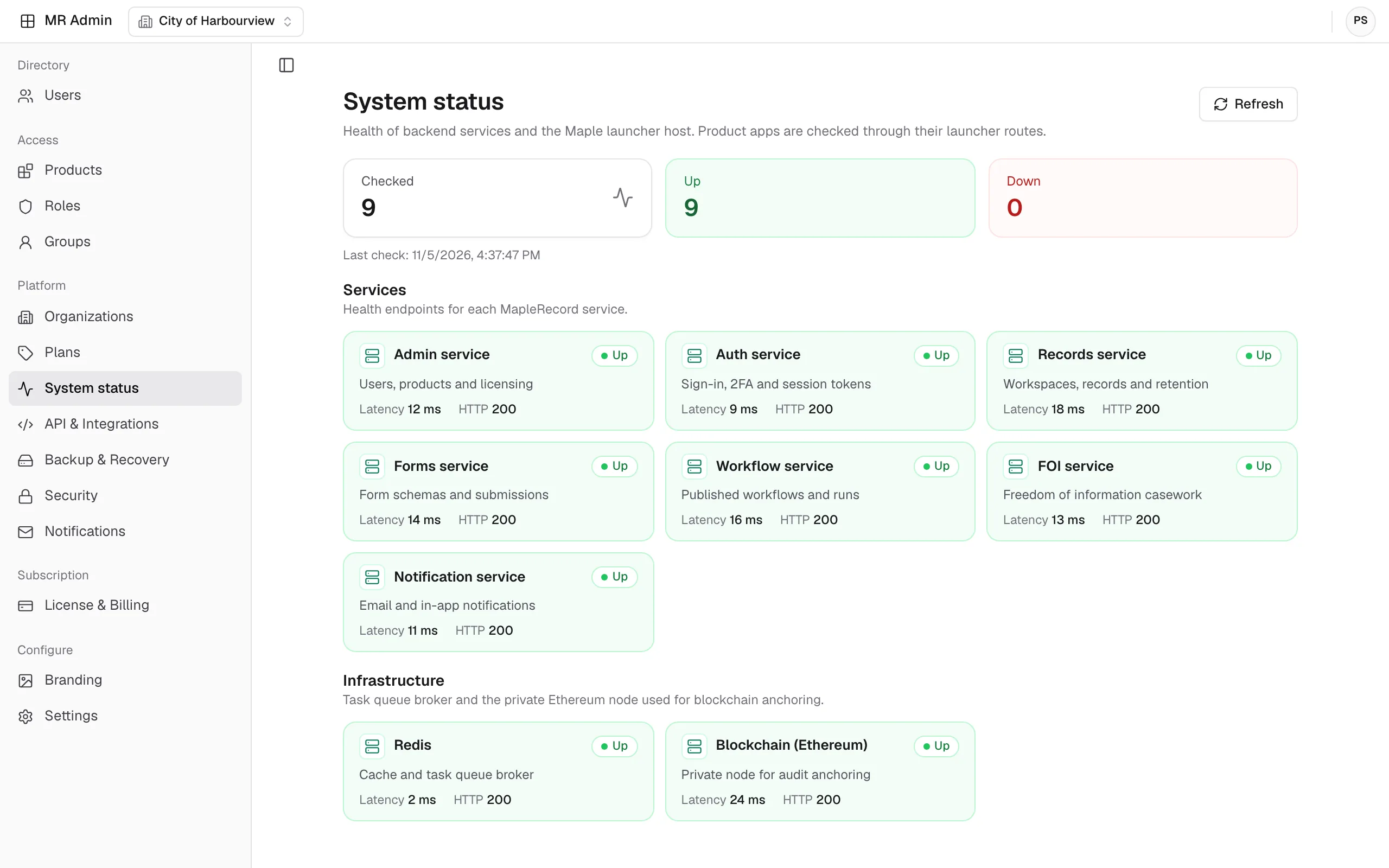
MapleRecord, our records management platform, is built from five modules. Four cover the records lifecycle: collect information, respond to requests, automate processes, and store and govern records. The fifth, MR Admin, manages the staff directory and the security, integration and backup settings they all share.
Modules
Use one lifecycle module on its own or combine several on the same platform. MR Admin, the fifth module, administers them all.
Your central hub for secure, structured, and searchable recordkeeping.
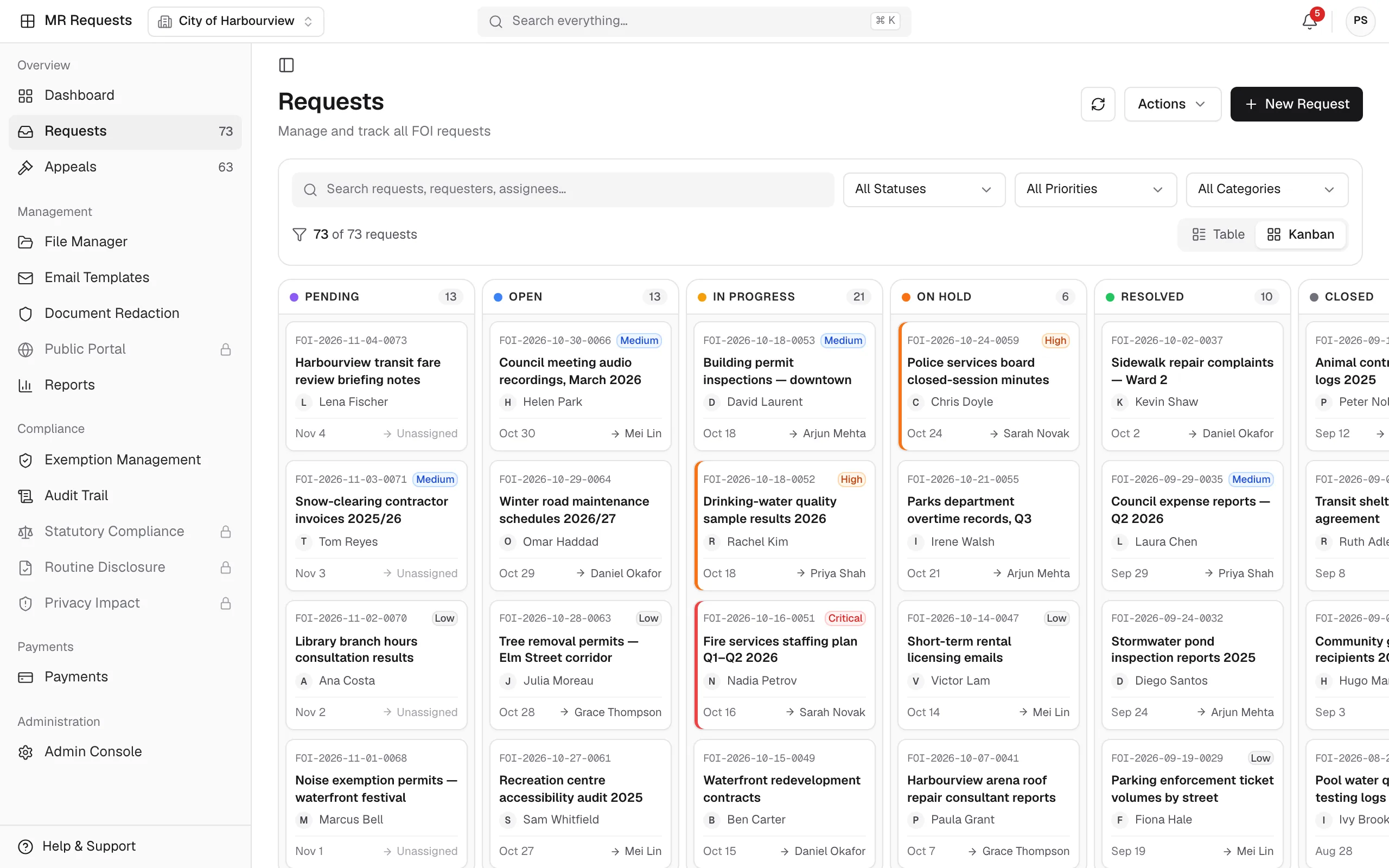
A streamlined system for managing public and internal information requests.
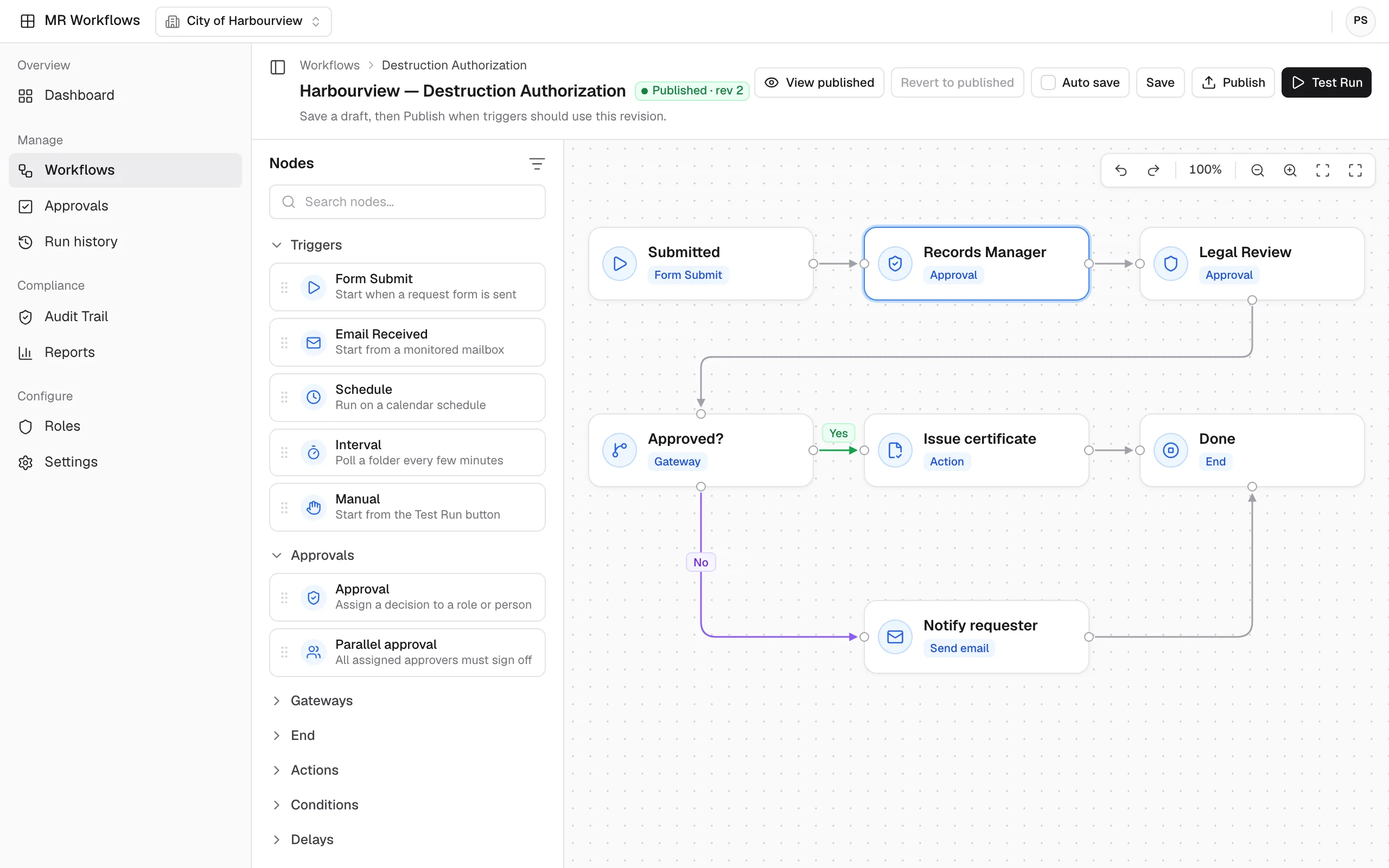
No-code automation that connects your MapleRecord modules, teams, and data.
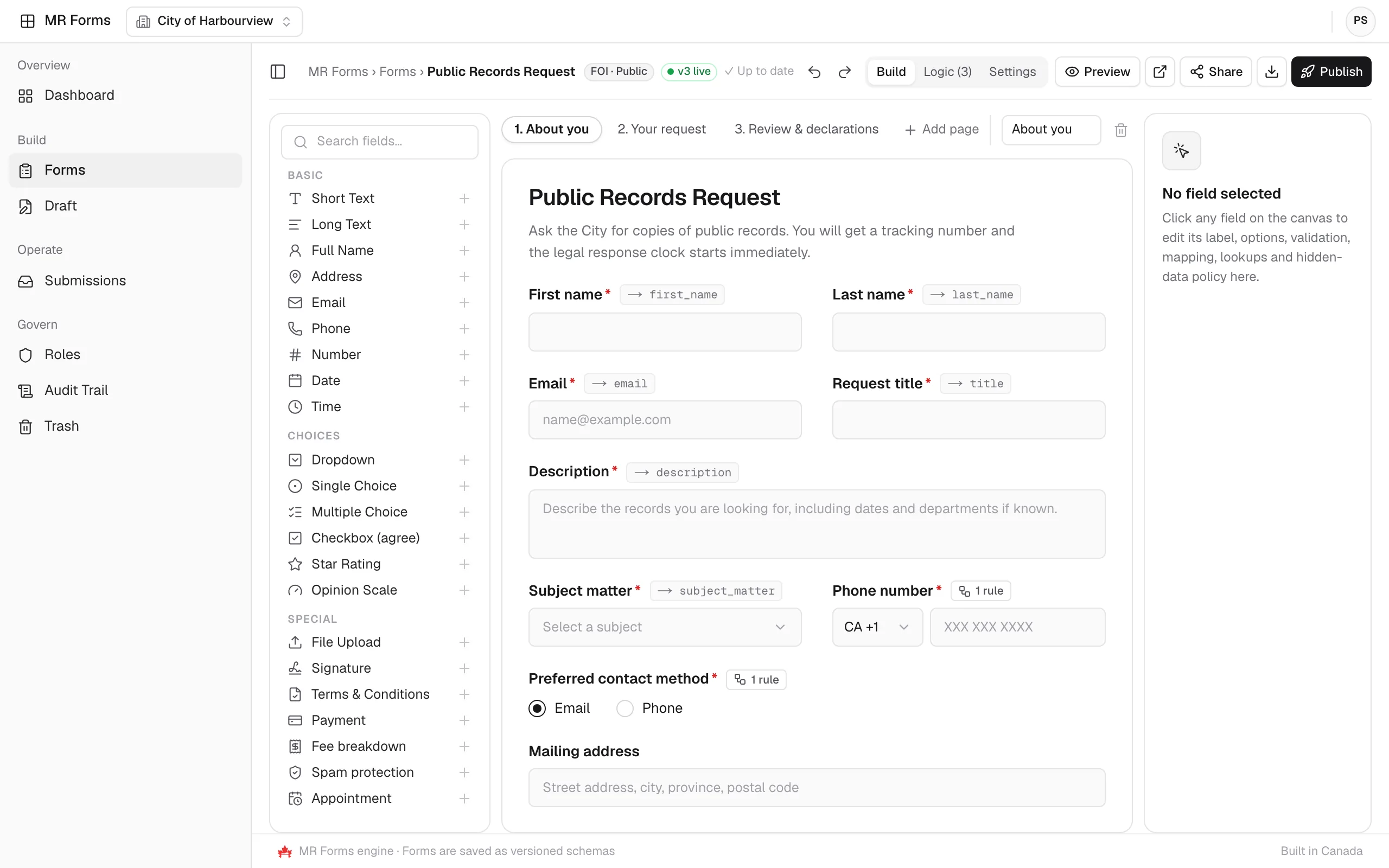
Drag-and-drop or AI-generated forms that send submissions straight into MapleRecord.
Product screens show sample data.
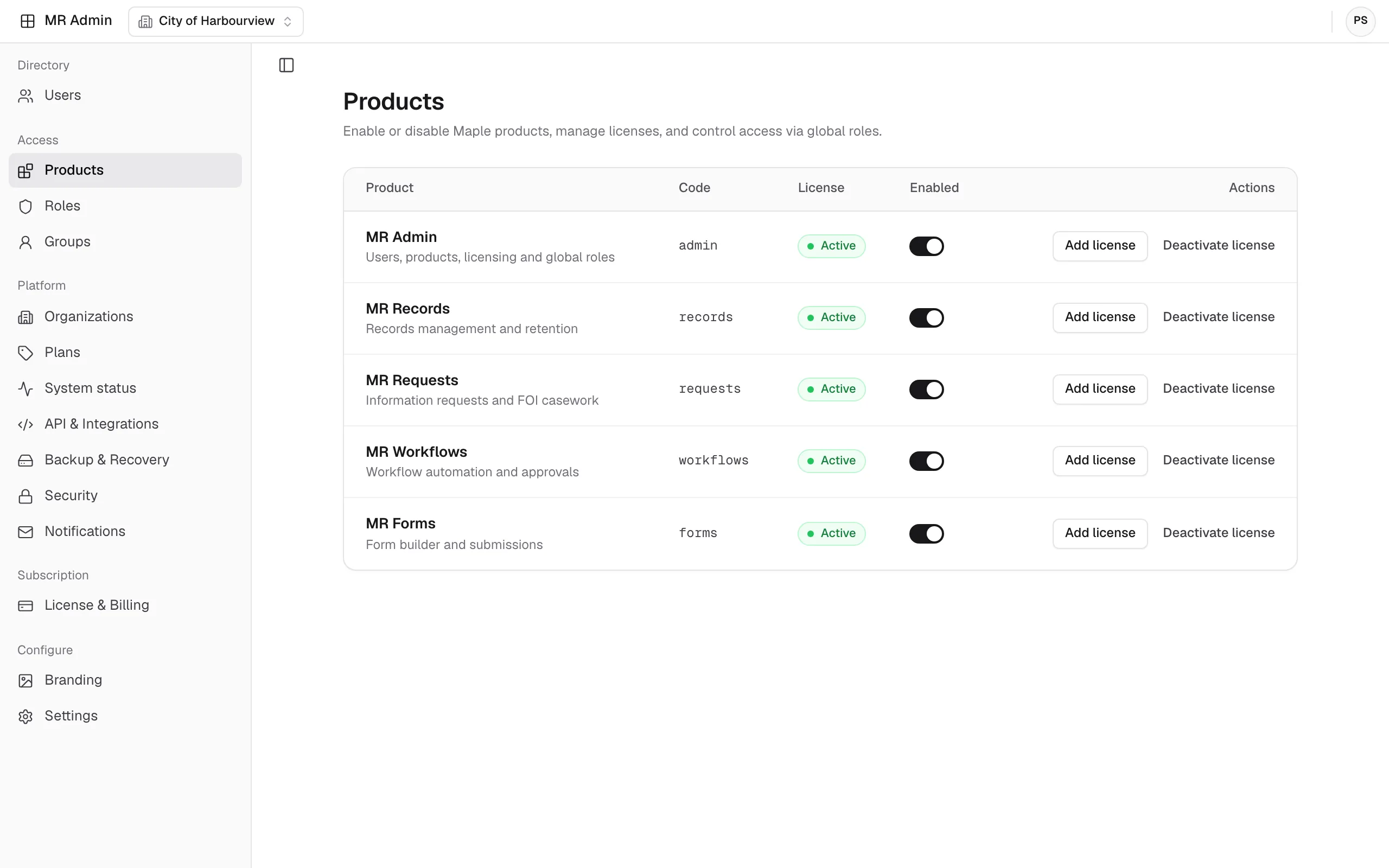
Module 05 · Suite administration
Every module shares one staff directory and one set of security, integration, and backup settings. Administrators manage them in MR Admin.
Connected platform
Each module handles one stage of the records lifecycle, from collecting information to keeping it as a governed record. MR Admin sits underneath all four.
01 · Collect
Build forms with drag-and-drop fields and conditional logic. Submissions flow into MapleRecord with a tracking number and an audit trail.
02 · Respond
Capture public and internal requests from email, forms and portals, track deadlines, and respond with secure redaction.
03 · Automate
Route approvals and reviews with no-code workflows and cross-app triggers that connect to other MR products.
04 · Store and govern
Manage electronic and physical records with retention policies, access controls, and full audit trails.
Underneath all four
One staff directory, products and licenses, security policies, integrations, and backups for every module.

Schedule a personalized demo with the MapleRecord team to see how the five modules fit your records management.
Talk to the MapleRecord team
info@maplerecord.com+1 (940) 945-6180MapleRecord is designed and built by Maverick InnoGarage.
Implement MapleRecord with Maverick InnoGarage